Working with Portfolio Page templates
Creating a Page to display the latest portfolio posts in different layouts.
 Written by RockyThemes
To create a page displaying your latest Portfolio Posts in a nice grid layout, navigate to your WordPress admin dashboard -> Pages -> Add New.
Add a new title to your page and if needed add some content. Keep in mind that the content you add to your page will appear above the actual Portfolio posts.
Next from the Right Sidebar of your editing window -> Page Attributes -> Templates -> and choose one of the Portfolio page templates available:
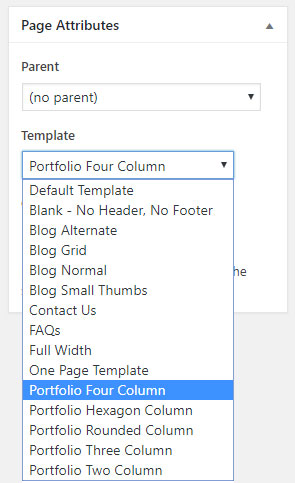
- Portfolio Four Column
- Portfolio Three Column
- Portfolio Two Column
- Portfolio Hexagon Column
- Portfolio Rounded Column
Depending on the template selected, you should have something like the following:

Experiment with all the available template and create the layout that best works for your site.