Customize the Portfolio Details for Archive Pages
Customizing the Portfolio Details that appears on Archive Pages and the Portfolio Element.
 Written by RockyThemes
Customizing the Portfolio Title, Categories as well as the background color, that appear below each portfolio item can be done by going to Theme Options -> Portfolio Options -> Portfolio Element and Portfolio Columns
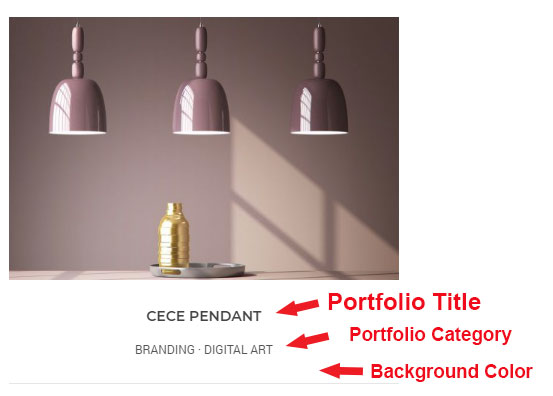
The following customization options are available:
- Portfolio Title Background Color – set the background color of the Title and Categories
- Portfolio Title Background Color Hover – set the background color when hovering the mouse over the Portfolio item
- Portfolio Title Link Color – set the color of the Title
- Portfolio Title Link Color on Hover – set the color of the Title when hovering the mouse over it
- Portfolio Categories Link Color – set the color of the Categories
- Portfolio Categories Link Color on Hover – set the color of the Categories when hovering the mouse over it