How to change the Sidebar Design
Changing the Sidebar design using the Theme Options in Nimva 3
 Written by RockyThemes
To change the Sidebar design, navigate to Theme Options -> Blog Settings -> Sidebar Settings. Use the Sidebar Design select box to change the current design.
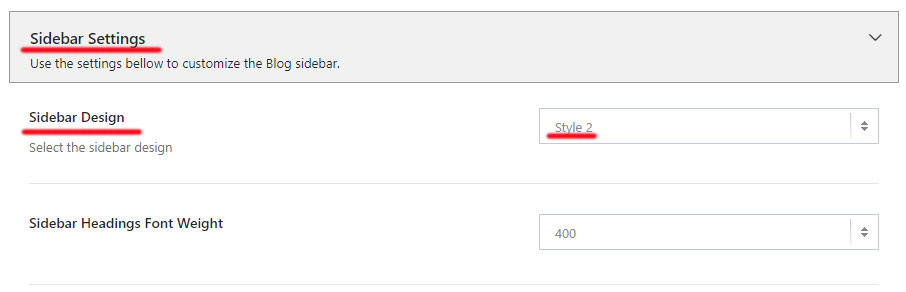
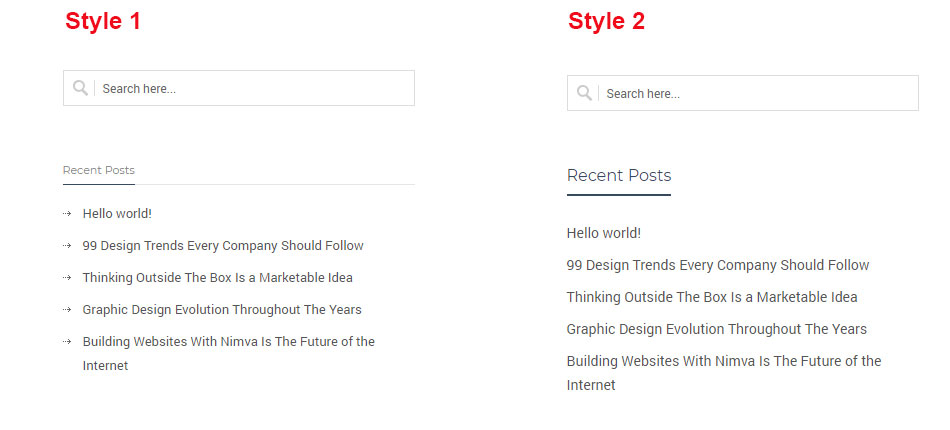
At the moment the current styles are: Style 1 and Style 2, which will create layouts as seen in the images below:
Use the Sidebar Headings Font Weight to change the font weight of the Widgets Heading Titles.