Nimva Documentation
  • Home
  • Getting Started
  • Page Builder Tutorials
  • Forum
  • Contact Us
  • Home
  • Blog
  • Animate Posts Appearing on Scroll

Blog Tutorials

  • Creating Your First Post
  • Choosing a Blog Post Design
  • How to Enable/Disable the Related Posts section
  • How to Enable/Disable Featured Images on Post Page
  • How to Enable Infinite Posts Scroll
  • Animate Posts Appearing on Scroll
  • How to Enable/Disable Posts Date on Single Post Page
  • How to change the Sidebar Design
  • How to Enable the Sticky Sidebar
  • Choosing the Archive Page Layout
  • How many Posts to display on Archive pages
  • Customizing the Category Description
  • Changing the Post Excerpt with Post Content on Archive Pages
  • Creating a Blog Page in Grid Layout
  • Creating a Blog Page with Small Thumbnails layout
  • Creating a Blog page using the Default layout
  • Display Posts only from a certain Category

More Tutorials

  • Getting Started Tutorials
  • Header Tutorials
  • Footer Tutorials
  • WooCommerce Tutorials
  • Page Builder Tutorials
  • Blog Tutorials
  • Portfolio Tutorials

Animate Posts Appearing on Scroll

Enable/Disable Posts Animation on Vertical Scroll.

Written by RockyThemes
Filed under: Blog

In Nimva 3 we added an option to allow Posts Appearance to be animated when scrolling down the page.

This option can be enabled by navigating to Theme options -> Blog Options -> Blog Global Settings -> Animate Posts on Scroll
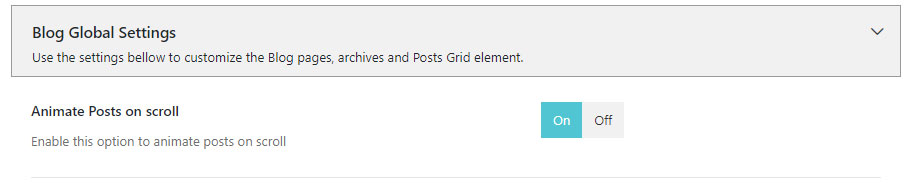
Disable this option if you don’t want to use an animation for posts on vertical scroll.

Purchase Nimva3, the Ultimate Drag&Drop WP Theme for $47

Purchase Nimva3 and Get Started
Copyright ©2019 RockyThemes
Premium Themes for WordPress

Rocky

  • Contact

Themes

  • Creativo
  • Nimva

Support

  • Video Training
  • Forum

Social

  • Facebook
  • Twitter