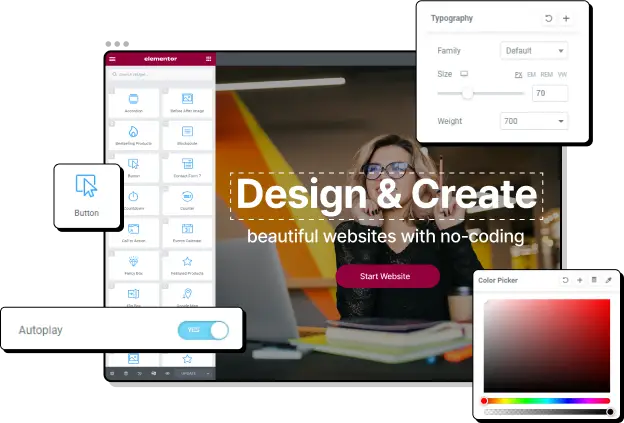

When it comes to building a website, many WordPress users prefer the interface and design flexibility that page builders provide compared to the standard Gutenberg block editor. Elementor and Oxygen are two of the most popular WordPress page builders used by developers and designers around the world.
If you want to pick the right page builder for your site, you need to know what features you will need, plan your budget, and understand how your chosen builder will work with your WordPress theme – alongside a few other factors.
In this article, we will compare Elementor and Oxygen, and show you how to choose between them based on your needs.
What is Elementor?
Elementor is a drag-and-drop WordPress page builder that comes with over 50 pre-made elements, so you can create any kind of page you want with ease. Elementor integrates with many WordPress themes, allowing you to take a theme as a starting point and modify it to fit your needs. The result is a complete website that takes much less effort to create than if you were developing it element-by-element from scratch.
What is Oxygen?
Oxygen is a WordPress builder and theme hybrid that lets you create any kind of page or post visually. One important thing to keep in mind, however, is that Oxygen will disable whatever theme you already have installed. So, if you’ve spent a long time setting things up and are happy with the way your site looks, you should consider whether this tool is right for you.
Oxygen was made with developers and agencies that want to tweak even the smallest details in mind, so its focus is placed on customization and flexibility – much more so than Elementor.
Elementor vs Oxygen: Main Features
Both page builders include several powerful features you can use to create custom websites. Let’s compare them and see how each can help you create your ideal website.
Elementor’s Key Features

The most popular features Elementor offers include:
- Drag and drop page builder: The drag and drop page builder allows users to create pages more intuitively, as all they need to do is pick up components from a sidebar and place them anywhere they want on the site. Each of them can also be customized considerably – for example, you can change colors, typography, positioning, margins, and paddings. All components are also optimized for speed and performance.
- 50 pre-built elements: Elementor includes 50 pre-built elements or widgets you can use on your pages. For instance, headings, buttons, carousels, social icons, progress bars, tabs, videos, accordions, sidebars, and containers, among many others.
- Extensive theme library: One of Elementor’s main features is its incredibly large collection of excellent compatible themes and over 100 responsible website kits. Plus, you don’t need to know any code to use them; you can drag-and-drop, publish, and go live all in a snap.
- Responsive editing: Elementor allows you to preview how things will look in all screen sizes and ensure the design is perfect no matter the user’s device. This responsive design feature also allows you to customize breakpoints and experience full control over all of your page’s components.
Oxygen’s Key Features
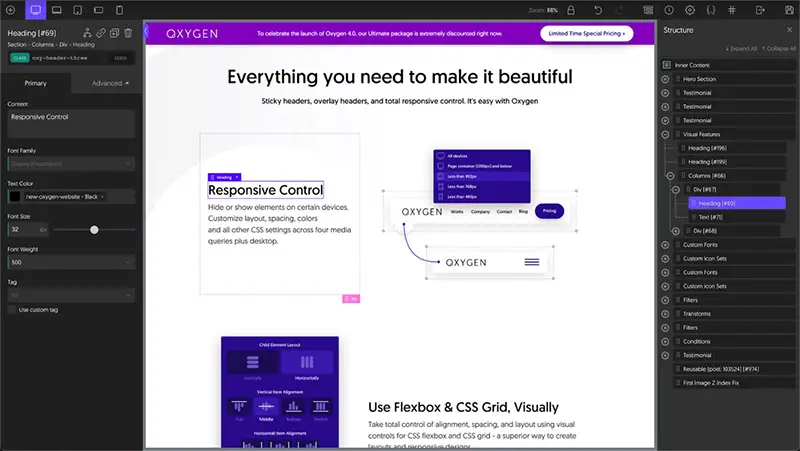
The most popular features Oxygen offers are:
- Drag and drop page builder: Oxygen uses a drag and drop builder that allows you to easily modify and customize all elements of your site – no code required. You can also create custom headers and footers (including sticky headers and overlays) and define spacing and order, too.
- Several available themes: The platform includes several fully-responsive templates and custom components you can use throughout your site. With Oxygen, you can customize your site as much as you wish.
- Oxygen widgets: The Oxygen builder comes with over 30 widgets, and you can access even more blocks if you have Premium Oxygen addons and third-party add-ons. Another key Oxygen feature is also a visual builder for WooCommerce and multiple third-party add-ons.
- Advanced elements: Because Oxygen is developer-friendly, you can build with fundamental HTML elements and write code in PHP, CSS, and JS.
- Gutenberg integration and other features: Oxygen integrates with Gutenberg, which means you can use this editor to create custom blocks. Other unique Oxygen elements include a Link Wrapper, where all modules placed within this container can have the same link applied, and the Shortcode Wrapper, where all modules can use the same shortcode.
Elementor vs Oxygen: Templates and Widgets
The number of templates and widgets available for each page builder can help customers get an idea of what elements they’re able to work with when building their site. Let’s compare the two tools and see what each one supports.
Elementor
Elementor has a free version available, which gives you access to enough widgets to build a full website. If you want more functionality, you can also get the pro version. Keep in mind, however, that some themes also include extended Elementor functionality, so you don’t necessarily need the pro version to access these.
If you are indeed interested in Elementor Pro, you can gain dozens of functionalities, including dynamic content widgets, marketing widgets, and eCommerce widgets. The version also comes with 300+ pro templates and blocks you can choose from to drop into your pages as needed.
Elementor customers can also make their own design templates or purchase third-party templates if they don’t want to make their own.
Oxygen
Oxygen comes with sets of templates that are meant to be used in unison to create a website. This means that you choose from a collection of templates that come with the page builder, knowing they will always work.
To customize a template and create a website, Oxygen provides sophisticated block options that also allow you to implement PHP straight into the pages quickly. This is more useful if you’re a developer who is familiar with PHP and wants to customize templates in a more granular way. As a non-coding user, you can also do many advanced things. For instance, edit all templates using the drag-and-drop builder, which allows you to easily adjust paddings and margins and customize many of the elements (such as headings, columns, or code blocks). Ultimately, though, you’re not going to get the most out of Oxygen this way.
The platform also has a template library from which you can manage all changes. If you want to access more modules, however, you will need to purchase them as add-ons to the core product.
Elementor vs Oxygen: Integrations
Both page builders we are reviewing support several integrations. So, let’s go through them in some more detail.
Elementor
Elementor has the ability to integrate with a large number of marketing tools, including AWeber, Mailchimp, Drip, ActiveCampaign, ConvertKit, HubSpot, and Slack, as well as WordPress-specific plugins such as WooCommerce, Yoast, Rank Math, LearnDash, SEOPress. You can also integrate Elementor with a few social media channels, including Facebook, Instagram, and Discord.
Oxygen
Oxygen’s integrations are similar to Elementor’s. They include WooCommerce, Yoast, Rank Math, Facebook, Twitter, Instagram, HubSpot, Stripe, and PayPal, among others. Since the integration options are similar, this isn’t usually a point of contingency for users. Instead, the turning point tends to be Oxygen’s inability to integrate with a separate theme rather than its lack of plugin integrations.
Elementor vs Oxygen: User Experience
User experience can be an important factor when choosing a page builder. So, how does Elementor compare to Oxygen in terms of usability?
Elementor
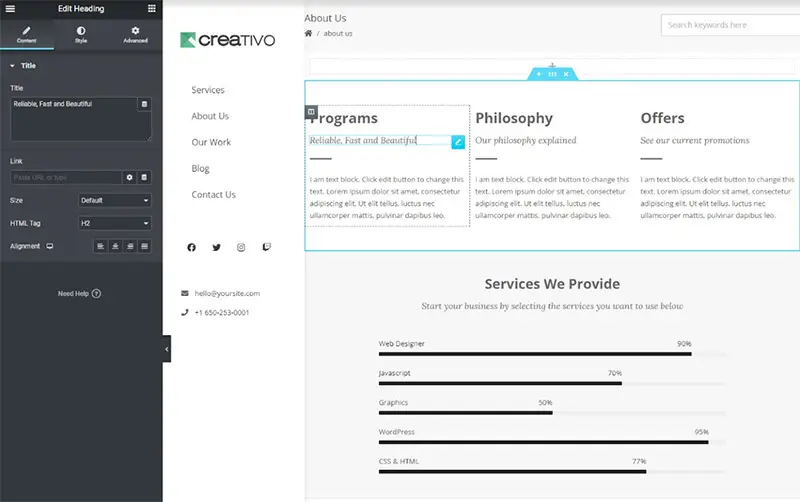
When it comes to its user interface and user experience, Elementor stands out as a page builder much more than the other options out there. It’s a fantastic option for WordPress beginners because it’s flexible without being overwhelming.
You can rely on your theme for basic design and layouts and add on design and functionality using one of their many widgets.
The simplicity and flexibility of Elementor are perhaps what makes it one of the most popular WordPress builders.
Oxygen
If Elementor is the tool of choice for beginners, Oxygen may be better suited for developers. Because it is focused on more advanced users, Oxygen’s interface can look quite cluttered to the average user.
Oxygen has so many customization options that you can build a masterpiece with it, but you need to have the skills to make the most of them.
Elementor vs Oxygen: Pricing
So, let’s talk about price. How do the Elementor and Oxygen page builders compare? And do they offer a free version?
Elementor
Overall, Elementor offers more value than Oxygen. The free plugin gives most users plenty to work with, while the pro version is only $49 if you only want to use it on one website.
Oxygen
As we mentioned above, Oxygen doesn’t have a free version, but it does offer a 7-day free trial so users can get a taste of what it’s like to use the tool. The plugin is much more expensive at $129 for the basic plan and $199 if you want WooCommerce integration.
Additional modules are available as add-ons. They’re called Composite Elements. Within the Composite Elements collection, you will find image comparisons, flip boxes, accordions, icon modules, counters, and more.
Elementor vs Oxygen: Who Wins?
While both page builders are good, Elementor is the better choice for most users. It has a simple interface with a small learning curve and comes with hundreds of ready-to-use templates.
Oxygen is a strong builder candidate for people who already create complex websites frequently and can use their skills with PHP and design to complement and utilize the platform’s tools to achieve more specific building goals.
One thing we really like about Elementor is that you can use an integrated WordPress theme. It’s easier to find a theme you like as the basis of your site’s design and then make all the adjustments you want using Elementor.
So, how do you find a great WordPress theme that integrates with Elementor? That’s what we’ll cover in the next section!
Introducing Creativo
Creativo is a WordPress theme with over 26 pre-built sites that you can use as the basis of your site design. This multi-purpose theme for WordPress allows you to create beautiful sites without having to write any code. In fact, you can get your website ready in less than five minutes! Let’s take at some of its main features.
Pre-built Creativo Websites
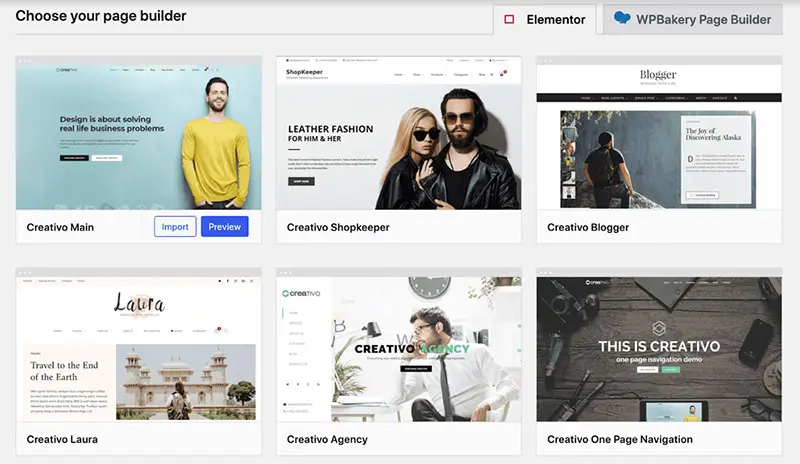
When you purchase Creativo, you instantly gain access to a collection of amazing demos or starter sites (plus all the new ones the company launches after your purchase). There are pre-built themes specifically designed for bloggers, businesses, shops, authors, cafés and bars, agencies, wedding consultants, startups, and much more.
If you want to use any of them, all you need to do is import them with one click and start building your site. In fact, it just takes five minutes to get any of Creativo’s pre-built websites up and running. Just pick the one that fits your brand first, update any important elements using the easy drag-and-drop tool, and publish!

Elementor Page Builder
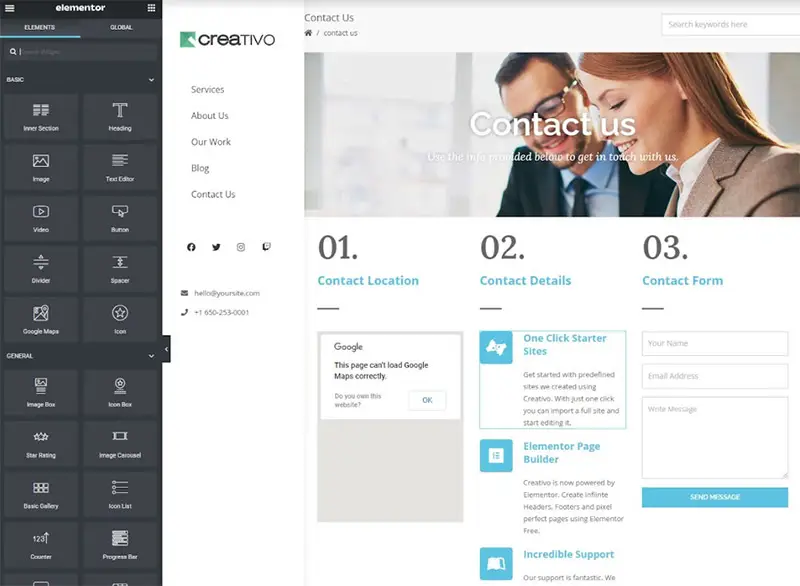
Creativo includes Elementor Free and Creativo Elements. This means you get instant access to a large library of additional components to use on any of your pages. You can combine Creativo’s themes with Elementor’s templates to create pages, headers, and footers seamlessly.
For example, you get a powerful Header Builder with Creativo, that uses Elementor. There’s no limit to the number of headers you can create, and you can assign them globally or create custom individual ones depending on the page. Creativo’s headers are also fully responsive and can be sticky or transparent. All it takes to design your layouts is a few clicks and zero coding skills.
50+ Exclusive Creativo Elements
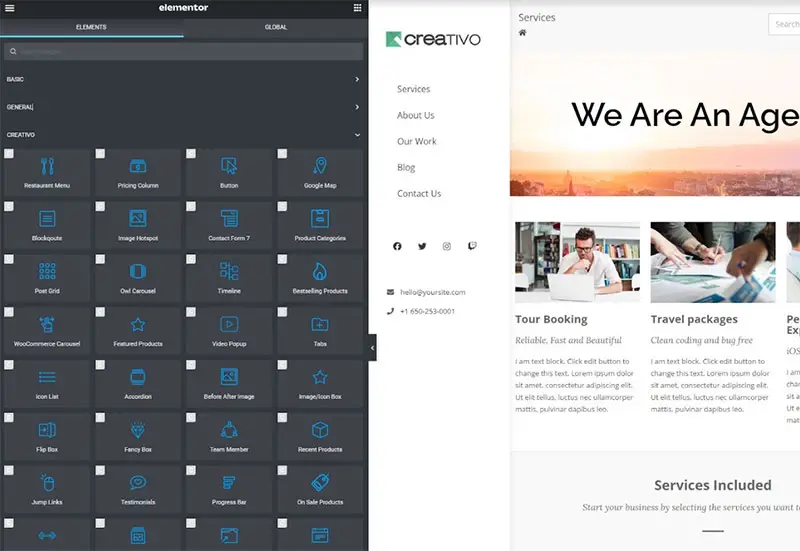
Creativo comes with over 50 exclusive widgets and elements that are specifically created for Elementor. Using them is extremely easy, you just need to drag and drop them into your page and you’ll be able to customize any page or archive layout on your site. Creativo also includes unique templates that are built with Elementor itself; for example, you have access to a great eCommerce template you can use for your online store.
Some of the included components are posts grids (something you would need to purchase separately if you were just using Elementor), images with hotspots, sliders, counters, maps, CTAs, carousels, portfolios, buttons, countdowns, and contact forms. And the best part: each Creativo update adds even more new components to choose from!
Ultra Responsive Control
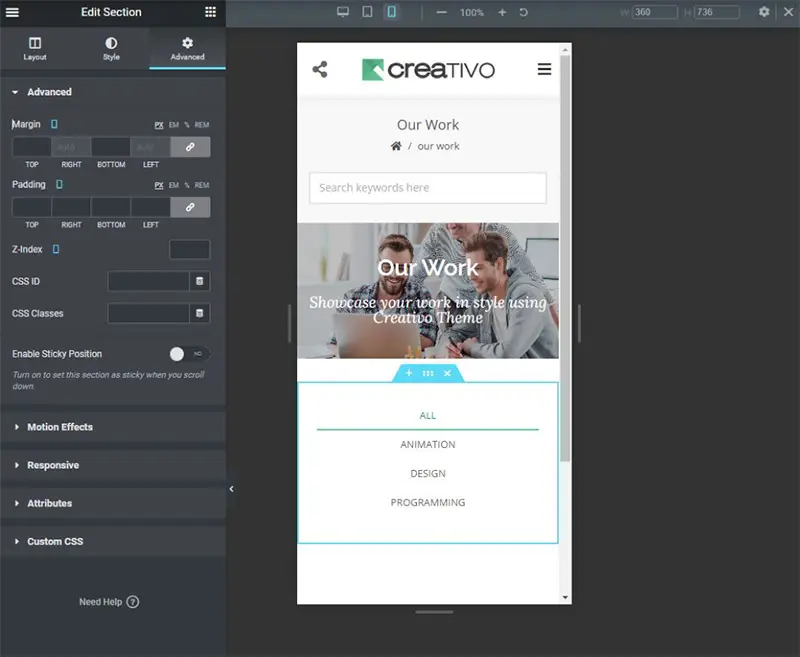
Creativo offers you complete control over your site’s responsive design. This means you can preview and structure your pages and components, so they look perfect, no matter if your visitors are using a computer, a tablet, or a smartphone to access your site.
One-Click Website Import
All the Creativo pre-built websites are easy to import using just a one-click function. This includes bringing existing content (text, images, sliders, posts, pages, products, portfolios, and more), all your theme options, widgets, and sliders created with either the LayerSlider plugin or the Slider Revolution plugin.
Elementor vs Oxygen: The Verdict
Many WordPress users find page builders advantageous. Elementor and Oxygen are usually on top of the list, but as we have seen, each tool comes with its own specific advantages and downsides.
If you are a developer, Oxygen can be a good choice because you can control the code down to each component. However, for users that want to focus on their website’s design and SEO without having to worry about PHP, Javascript, and CSS, Elementor is, without a doubt, the better choice. It’s also very simple to use, but it still offers lots of flexibility without needing any technical knowledge whatsoever – which makes it perfect for beginners.
If you want to make the most of Elementor, you need the right theme. Creativo is a fantastic option because the theme does it all. Not only does Creativo integrate with Elementor, but it includes 50 additional widgets called Creativo Elements which give you more options to build your site without having to purchase Elementor Pro or any other paid plugins.
Try out Creativo, choose your pre-built site, and customize it with Elementor!