Installing the WooCommerce plugin
Installing and activating the WooCommerce plugin
 Written by RockyThemes
Installing the WooCommerce shopping cart plugin, can be done in two ways:
- By going to Appearance -> Install Plugins area and Install & Activate the plugin there
- By going to your Plugins page -> Add New -> in the search box type: WooCommerce and install the WooCommerce plugin from the Search Results.

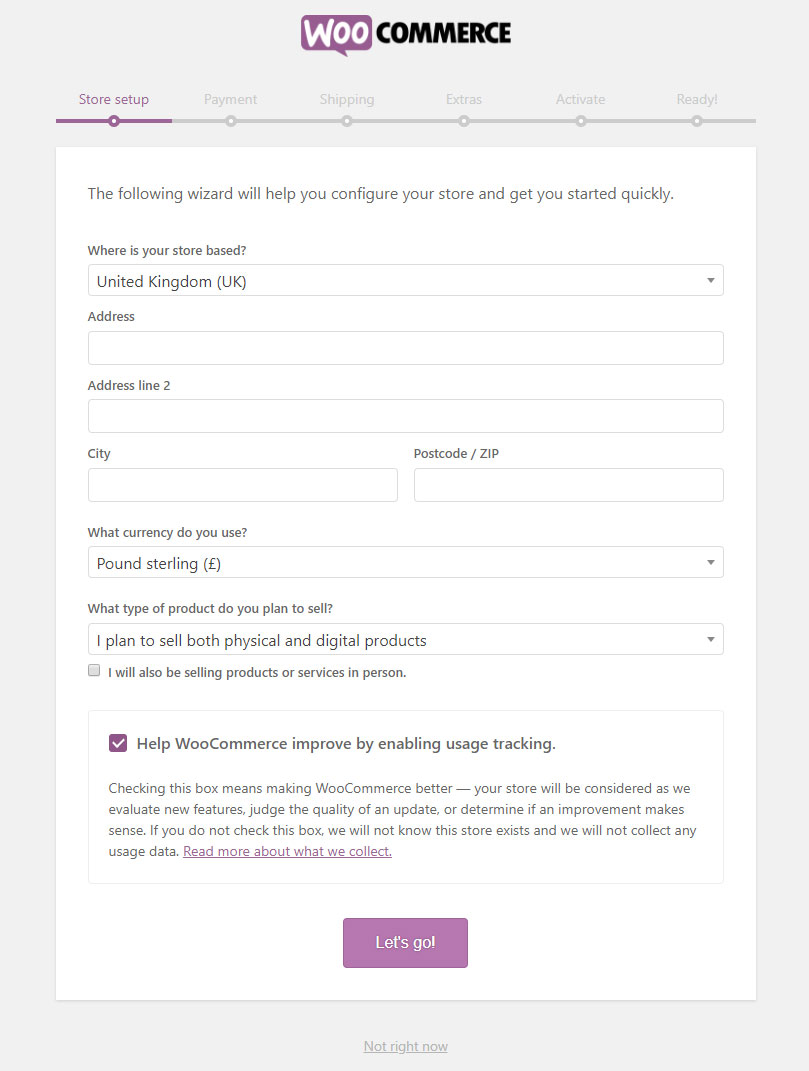
After installing and activating the WooCommerce plugin, the configuration wizard of WooCommerce will appear.
If you are going to import the demo content of Nimva3, we recommend to click the Not right now link at the bottom, since the import you will also add the pages needed for WooCommerce.
The WooCommerce Configuration Wizard is needed if you are not going to import the demo content or you are unsure how to change the WooCommerce settings on your own. In this case, hit the Let’s Go button and configure the WooCommerce shopping cart to your needs – address, currency, choose the type of products yo plan to sell, setup payment, shipping options, etc.