Nimva Documentation
  • Home
  • Getting Started
  • Page Builder Tutorials
  • Forum
  • Contact Us
  • Home
  • WooCommerce
  • Add Widgets to the WooCommerce Sidebar

WooCommerce Tutorials

  • Installing the WooCommerce plugin
  • Configuring the WooCommerce Plugin
  • Enable/Disable the WooCommerce Sidebar
  • Select how may products to be displayed per page
  • Select the Sidebar used for WooCommerce Pages and Products
  • Selecting the Products Thumbnail Size
  • Creating a Full Width product
  • Creating a Custom Shop Landing Page
  • Add Widgets to the WooCommerce Sidebar
  • Creating a Simple Product

More Tutorials

  • Getting Started Tutorials
  • Header Tutorials
  • Footer Tutorials
  • WooCommerce Tutorials
  • Page Builder Tutorials
  • Blog Tutorials
  • Portfolio Tutorials

Add Widgets to the WooCommerce Sidebar

Edit the WooCommerce Sidebar Widgets

Written by RockyThemes
Filed under: WooCommerce

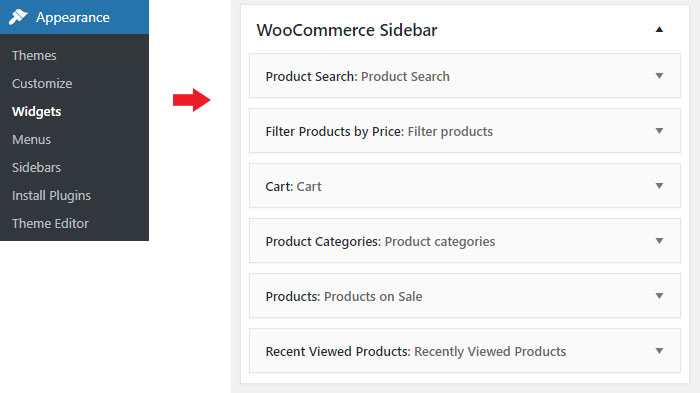
Navigate to Appearance -> Widgets and expand the WooCommerce Sidebar. The widgets listed here can be edited or deleted. You can also add your own widgets as needed.
Purchase Nimva3, the Ultimate Drag&Drop WP Theme for $47

Purchase Nimva3 and Get Started
Copyright ©2019 RockyThemes
Premium Themes for WordPress

Rocky

  • Contact

Themes

  • Creativo
  • Nimva

Support

  • Video Training
  • Forum

Social

  • Facebook
  • Twitter