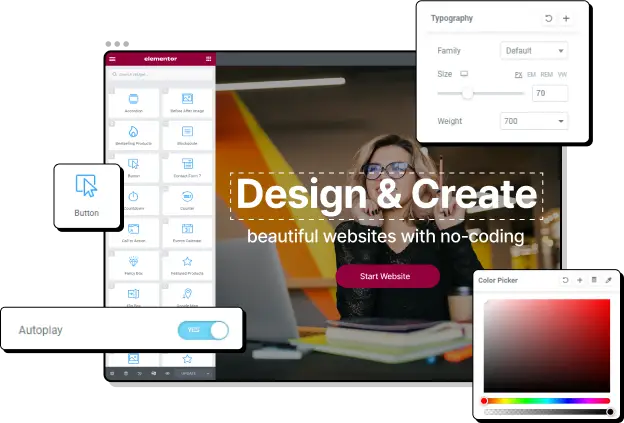

Designing a website can be a daunting task, especially for those who are new to the world of web design. Luckily, there are many tools available that can help streamline the process and make it easier for business owners and creators to build professional-looking websites on WordPress.
Two of the most popular options are Elementor and Visual Composer. But with so many options to choose from, it can be tough to know which one is the best fit for your needs.
In this article, we’ll compare Elementor and Visual Composer in terms of features, user-friendliness, and other important factors that users take into account when choosing a page builder. By the end of this post, you’ll have a better understanding of both page builders and be able to make an informed decision on which one is right for you.
What are Elementor and Visual Composer?
Elementor and Visual Composer are both page builders that allow users to create professional-looking websites on WordPress more efficiently.
Elementor was founded in 2016 and quickly gained popularity due to its user-friendly interface and wide range of features, which made it easier for non-technical users to build professional-looking websites on WordPress. It comes with a drag-and-drop live editor, allowing users to design their website in real time. It also comes with prebuilt pages and layouts to help users get started with a basic structure of a website and build from there.
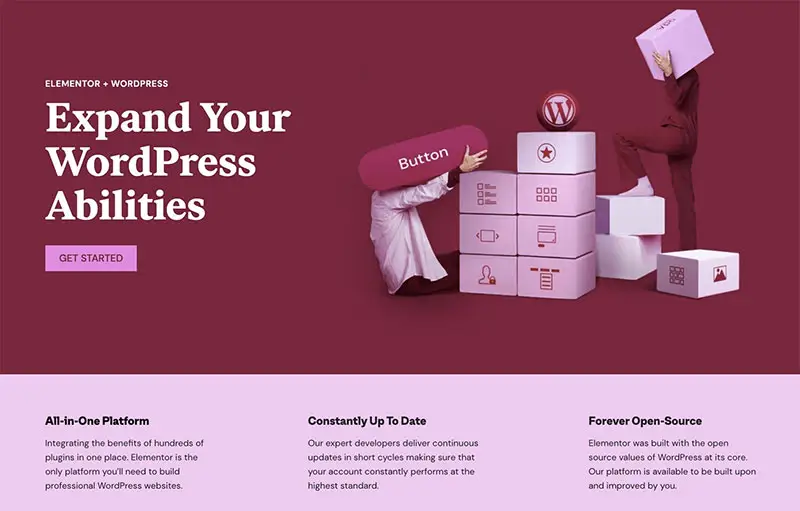
With Elementor, you can easily design the way your blog sections, headers, footers, and other blocks look. It’s one of the most popular website builders in the world, with millions of installs and a dedicated community of users.
Visual Composer is another website builder that allows users to create a whole website from the front-end using their drag-and-drop builder. With this page builder, users can easily create and customize their website’s layout and design, making it a popular choice for those looking for a user-friendly page builder.

Visual Composer is one of the oldest options for page builders and has tens of thousands of installations. Visual Composer was founded in 2011 and grew in popularity through ThemeForest, a popular marketplace for WordPress themes. Many theme developers included Visual Composer as a bundled plugin with their themes, which helped to increase its visibility and adoption among WordPress users. This allowed Visual Composer to reach a wider audience and establish itself as a leading page builder for WordPress. In addition to being bundled with themes, Visual Composer also offered a standalone version that users could purchase and use on any WordPress site.
Elementor vs. Visual Composer: A Comparison
Let’s consider the key categories for comparing Visual Composer vs Elementor.
Ease of use: Elementor offers more flexibility
When it comes to ease of use, both Elementor and Visual Composer offer user-friendly interfaces that make it easy for all users, even beginners, to build and customize professional-looking websites on WordPress.
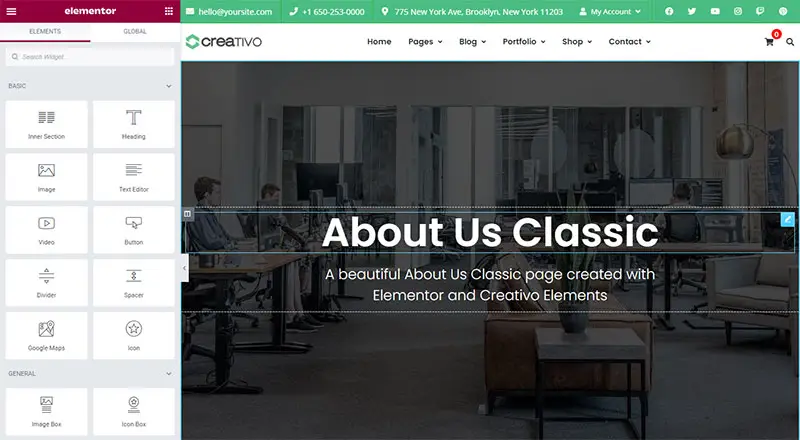
Elementor has a left-hand sidebar that offers options for widgets, while the rest of the page serves as a large workspace where users can adjust and modify sections and columns. Elementor is a front-end editor, which means that users can make edits in real time and see live previews of their changes. The interface is designed to be responsive and easy to use, and you can work with ready-made templates or create your own templates and re-use them wherever you want. If a user deactivates their license, Elementor will leave the website 100% clean with no style, but all formatting will remain.
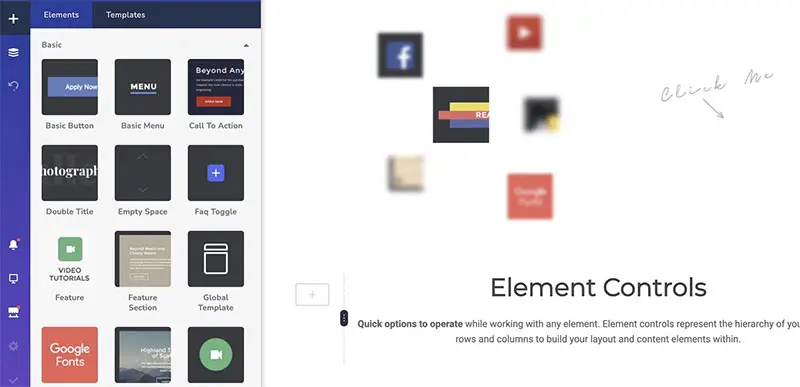
Visual Composer has a similar interface to Elementor, with a left-hand widget sidebar and a right-hand site preview and layout options. However, columns and rows are less flexible with fewer options to choose from. The default settings on Visual Composer make the menu on the left collapse to allow more workspace. Visual Composer does not support custom layouts. If a user deactivates their license, Visual Composer will also leave a clean code, but there may be a lot of div IDs and classes that users will have to deal with one by one.
Overall, both Elementor and Visual Composer offer user-friendly interfaces that make it easy for users to build and customize professional-looking websites on WordPress. However, Elementor offers more flexibility and customization options, which may make it more appealing to some users.
Customization: Elementor offers more widgets and add-ons
Both Elementor and Visual Composer offer a range of options to help users build and customize professional-looking websites on WordPress.
Elementor has 40 content widgets available, with more than an additional 50 available in the paid version. These widgets include accordions, icon boxes, CTAs, images, dividers, and more. Every row, column, and widget includes styling options for both style and advanced features. In addition, Elementor has a large community of users, which means that there are many third-party add-ons available that give users access to additional widgets, compatible themes, kits, layouts, and more.
The Visual Composer website builder has 350 elements available, with most of them available in the pro version. It includes styling options for every element to change the appearance and make it fit the look that the user wants. Its additional settings for widgets include alignment, color, margin, and animation.
Overall, both Elementor and Visual Composer offer a range of customization options to help users build and customize professional-looking websites on WordPress. However, Elementor offers a wider range of widgets and third-party add-ons, which may make it more appealing to some users.
Add-ons: score draw for Elementor and Visual Composer
Elementor has a vast selection of both free and paid options available to users. These add-ons allow users to extend the functionality of Elementor and add even more customization options to their websites. There are hundreds of add-ons available, ranging from additional widgets and templates to integration with popular WordPress plugins like Mailchimp, Aweber, PeachPay, Discord, WooCommerce, and Gravity Forms. This wide range of add-ons makes Elementor a powerful and flexible page builder that can be customized to meet the needs of any user.
In contrast, Visual Composer has a smaller selection of add-ons available, but all the available options are quite noteworthy: you can integrate your page builder with various contact form plugins like WPForms and Ninja Forms, YouTube, Soundcloud, as well as other media platforms, and Weglot to make your website fully translatable.
While these are just a few examples, the number of add-ons offered by Visual Composer is not as numerous as the add-ons offered by Elementor. This may make Visual Composer less appealing to users who want a wide range of customization options and the ability to extend the functionality of their page builder.
Whilst Elementor has more add-ons, many are made by third-party companies. Wordfence reports 90 Elementor add-ons have had vulnerabilities, compared to 6 for Visual Composer. But – vulnerabilities could happen in any plugin, and as long as you keep your plugins up-to-date, your site should be safe.
Pricing: Visual Composer and Elementor are both competitive in price
Both Elementor and Visual Composer have free versions which are quite solid. In each case, you get the same tools and interfaces for building web pages, but you’ll be limited by the number of widgets available and you won’t have access to the full template library.
Visual Composer claim that their free plugin is great for minimal websites or for simply getting a website project started, so you will need the premium version if you want access to a lot more functionality, and download more templates, widgets, and add-ons from the Visual Composer Hub.
This is technically true of Elementor as well, but because this page builder has so many third-party integrations there are many situations where you can build a powerful site with just the free version. For example, if you use an Elementor WordPress theme you may have in-built widgets that extend the free plugin.
Here’s what you can expect in terms of pricing if you do want the premium versions of Elementor and Visual Composer:
Elementor offers a plugin pricing structure that allows users to purchase a license for a specific number of websites. Prices start at $49 per year for a single website and go up to $399 per year for 1000 websites. This pricing structure is flexible and allows users to choose the option that best fits their needs.
Visual Composer also offers a range of pricing options, with prices starting at $49 per year for a single website and going up to $244 per year for 1000 websites.
Both plugins are competitive when it comes to price, and we think Elementor is better value for money as it offers more features and easier usage.
Choosing the right WordPress theme for Elementor and Visual Composer
When it comes to choosing the right WordPress theme for Elementor and Visual Composer, there are plenty of options available. Both builders are compatible with a wide range of themes, so users can choose the one that best fits their needs.
When looking for a theme, it’s important to consider its aesthetic, the number of prebuilt layouts it offers, and how well it will work with your content. But before selecting a theme, you should first choose the builder that you prefer and then find a theme that’s compatible with it. This will ensure that you have a smooth experience using the builder and that you can take full advantage of all of its features, especially if the theme includes extra plugins that extend your page builder’s functionality.
A great example of this is Creativo, a WordPress theme that integrates with Elementor.

With Creativo, you don’t need Elementor Pro because you also get Creativo Elements included, which gives you 50+ additional widgets that you can use with Elementor. Such elements include a restaurant menu widget, a pricing column, Google Map integration, and a post grid widget, just to name a few.

Thanks to Creativo’s integration with Elementor, you also have an extensive Header Builder, Footer Builder, and can create totally custom blog and archive page layouts.

Creativo has 23 dozen pre-built websites that you can import and use as the basis for your own website. Once you’ve selected a demo site you like, you can just add your own content and make any design tweaks you want to using your page builder. Here are a couple of examples of great-looking websites you can achieve with Creativo and Elementor:

Build your site with Elementor and Creativo
Both Elementor and Visual Composer are popular page builders that can help users build professional-looking websites on WordPress more efficiently. When it comes to comparing the two, Elementor stands out for its user-friendly interface, wide range of customization options, and large selection of add-ons. It’s also a popular choice among WordPress users, with millions of active installations worldwide.
Elementor can help users make the website of their dreams, with a drag-and-drop live editor that allows for real-time editing and a wide range of customization options. By choosing a theme like Creativo, users can get even more out of Elementor, with access to a range of prebuilt websites and design elements that can help them get started with their design.
So why wait? Start building your website today with Creativo, and take full advantage of Elementor.