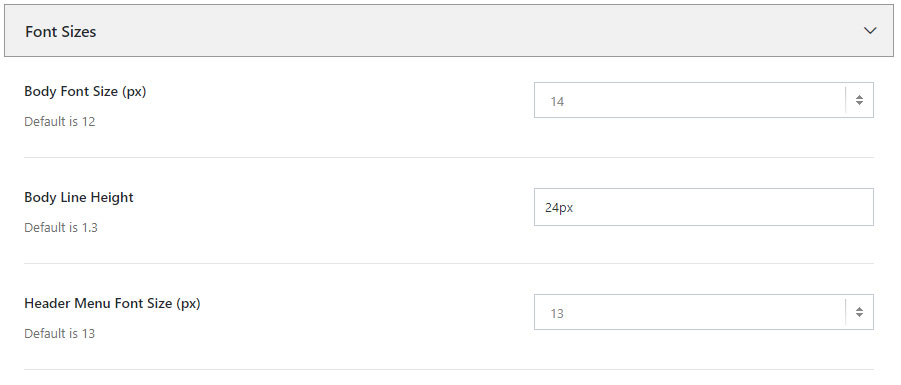
To select the default font sizes used for body, header menus, page titles, breadcrumbs, sidebar widgets, footer widgets and headings, navigate to Theme Options -> Typography -> Font Sizes.
Current available options are:
Body Font Size (px) – set the font size of the content
Body Line Height – set the line height of the content
Header Menu Font Size (px) – set the Header Menu font size in pixels
Header Contact Info Font Size (px) – set the Contact Info font size in pixels. The contact info appears in the Top Bar area.
Page Title Font Size – set the Page Title font size, from the Page Title and Breadcrumb section
Breadcrumbs Font Size (px) – specify the font size of the breadcrumbs text
Sidebar Widget Title Font Size (px) – set the font size of the Widget Titles that appear in the Sidebar
Footer Widget Title Font Size (px) – set the font size of the Widget Titles that appear in the Footer Sidebar
Copyright Font Size (px) – set the font size of the Copyright text
Heading Font Size H1, H2, H3, H4, H5, H6 (px) – specify the font sizes in pixels for each Heading: H1, H2, H3, H4, H5 and H6
Headings H1, H2, H3, H4, H5, H6 Font Weight – set the font weight of the Headings H1, H2, H3, H4, H5 and H6
 Written by RockyThemes