WooCommerce Off Canvas Shopping Cart
Enable WooCommerce off Canvas Shopping Cart feature for better User Experience and improving User Conversion.
 Written by RockyThemes
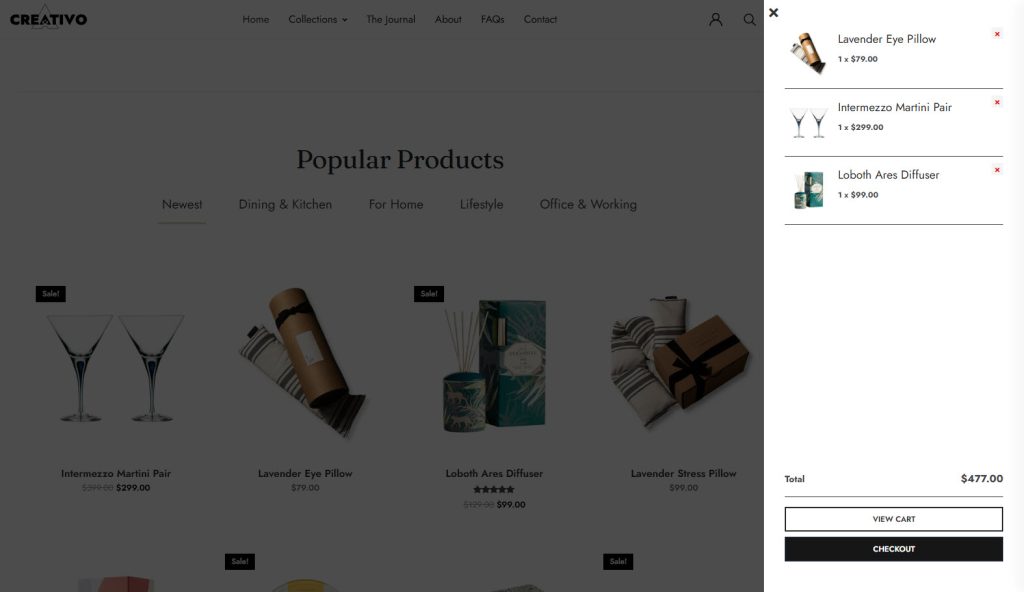
Starting with version 7.7.32 of Creativo, it is possible to enable the Off Canvas Shopping Cart feature, improving user experience as well as improving user conversion, for the products you are selling.
This is a feature long-awaited, similar to Shopify stores which has not been a feature of WooCommerce for quite a while.
Here is an example below:
To view a live working example, try going to these sites and add a product to cart:
- Creativo ShopKeeper: https://rockythemes.com/creativo-shop
- Creativo Modern Shop: https://rockythemes.com/creativo-shop2
This feature is available for both Elementor sites as well as for WP Bakery Sites.
To enable the feature, follow the directions below, based on the page builder you used to build your site.
Enable Off Canvas Shopping Cart for Elementor Sites
- First navigate to your WordPress admin dashboard
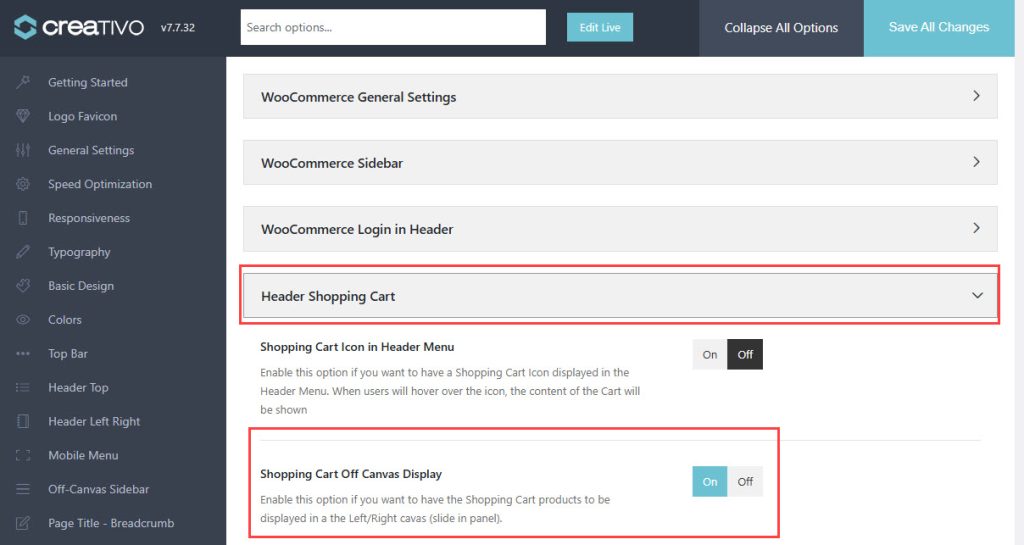
- Next navigate to Creativo -> Theme Options -> WooCommerce -> Header Shopping Cart
- Enable the Shopping Cart Off Canvas Display feature – set it to ON
- Click on Save All Changes to save the theme options.
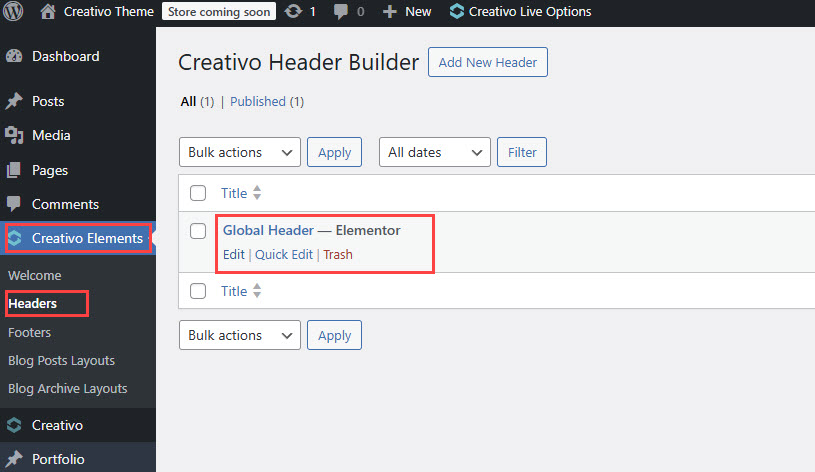
Next edit the Header created with Elementor.
The current header your site is using can be found under your WordPress dashboard -> Creativo Elements -> Headers
Click on Edit and wait for the Elementor editor to load your current Header.
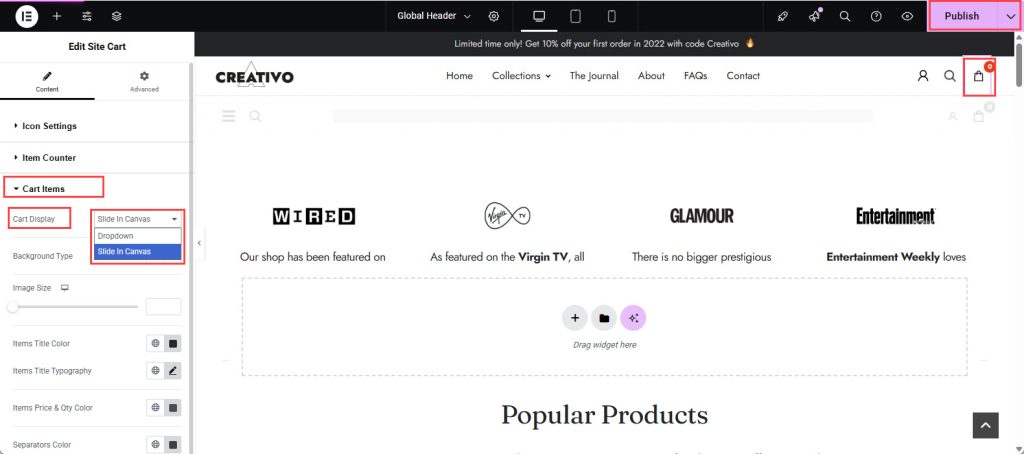
In the Editor, click on the Site Cart element.
Expand the Cart items section
Under the Cart Display select box, choose Slide in Canvas.
Publish your changes and you should now have the Off Canvas Shopping Cart enabled.
Enable Off Canvas Shopping Cart for WP Bakery Sites
- Login to your WordPress admin dashboard
- Navigate to Creativo -> Theme Options -> WooCommerce -> Header Shopping Cart
- Enable the Shopping Cart Off Canvas Display feature – set it to ON
- Click on Save All Changes to save the theme options.
That’s all. Your site should now use the Off Canvas Shopping Cart feature.
Visit your site and add a product to your cart. The Off Canvas Shopping Cart should load correctly.
Here is the Off Canvas Shopping Cart feature in action: